
Designer Collection · Help
Getting started with the Designer Collection
4,400+ decorative lights for architects and interior designers. Watch the video, or follow the six steps below.
Getting started
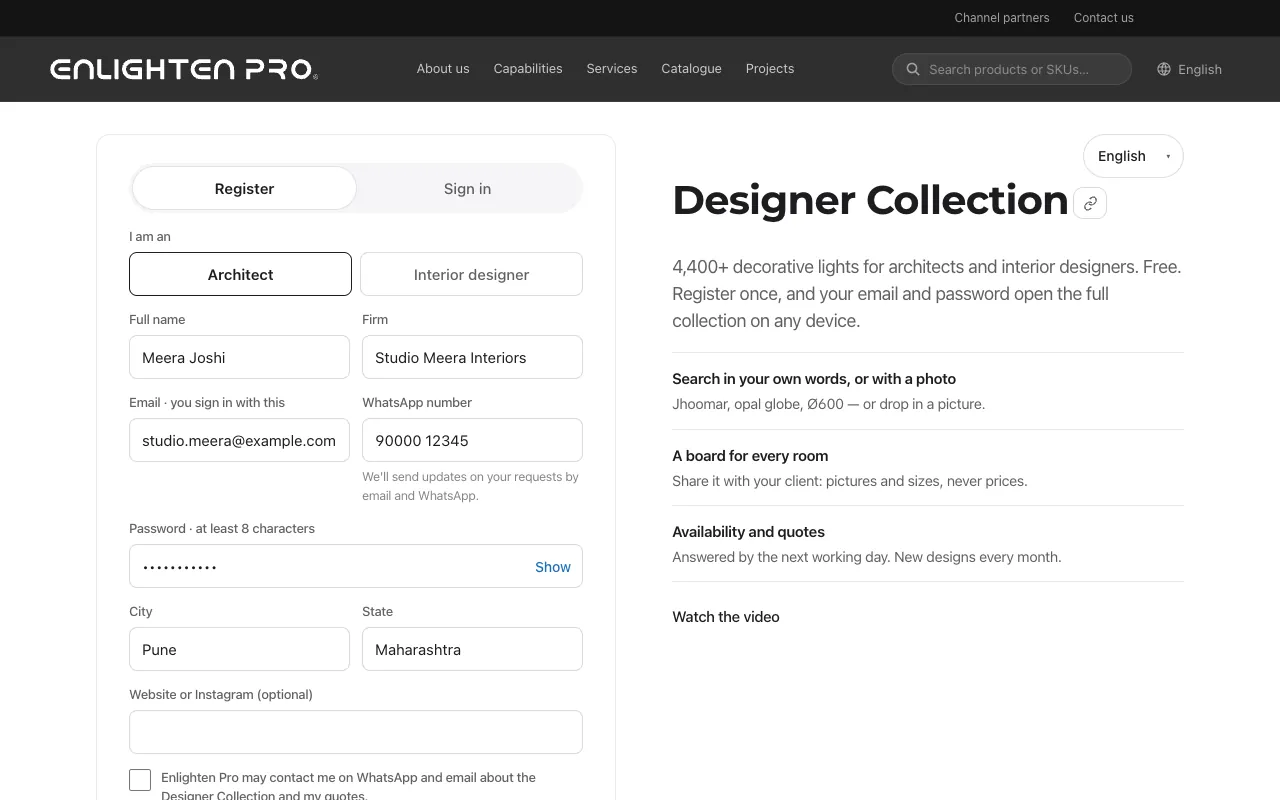
Register
Open the register page, choose Architect or Interior designer, and fill in your name, firm, email, WhatsApp number, a password, and your city and state. Tap Register and open the collection: you're in straight away, already signed in.
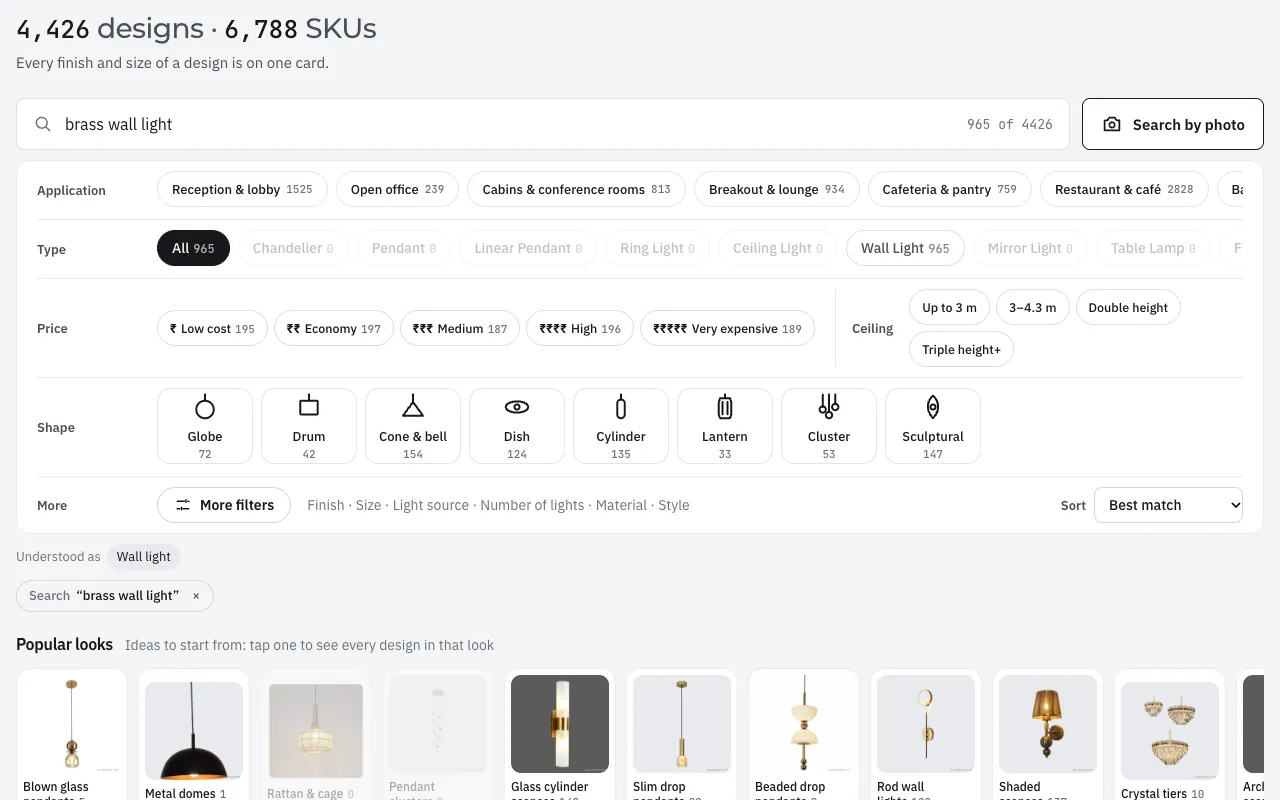
Search
Type it the way you say it: a style, a material, a size. The best matches come first. You can also search with a photo.
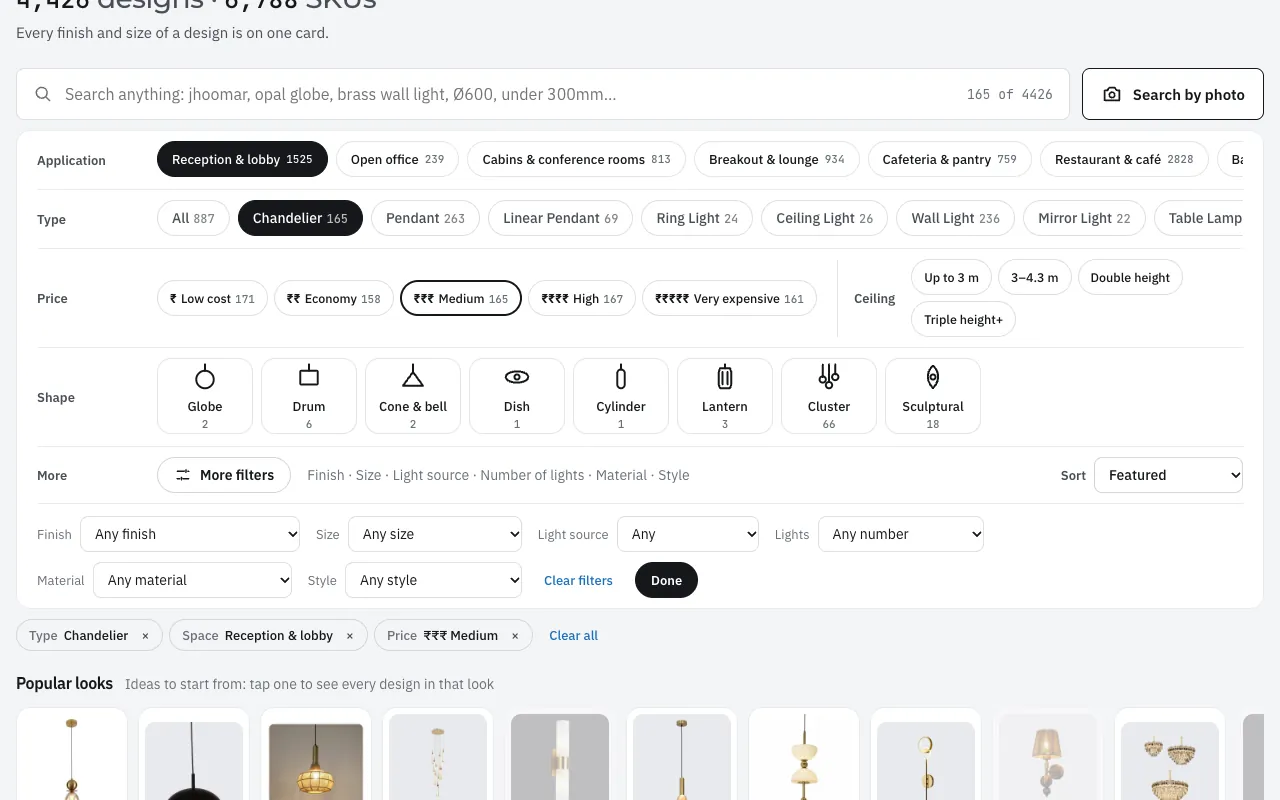
Filter
Narrow by space, type, price level and ceiling height. More filters adds finish, size, light source, number of lights, material and style. Every choice becomes a chip you can remove.
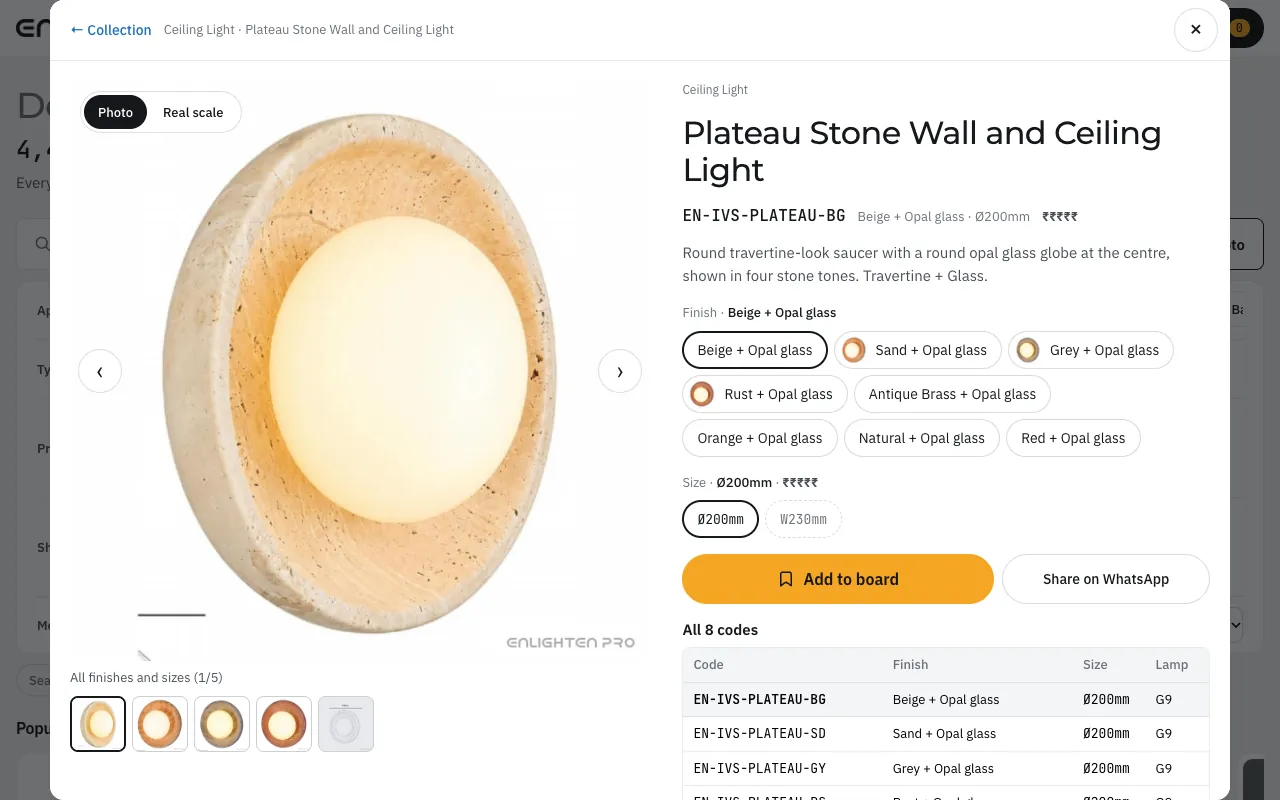
Open a design
Open any design for its finishes, sizes and codes, a real-scale view, and downloads: the spec sheet, the pictures, and a drawing where we have one.
Make a board
Tap Add to board on the designs you like. Keep one board for each room, name it, set quantities, and send your client a link to it: pictures and sizes, never prices.
Check availability and get a quote
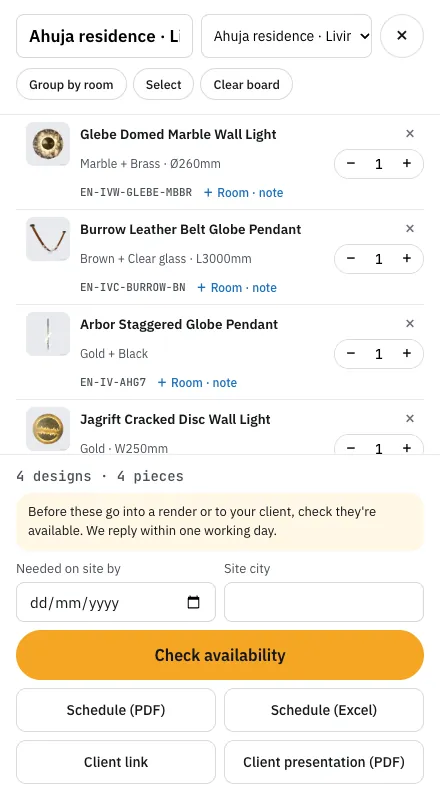
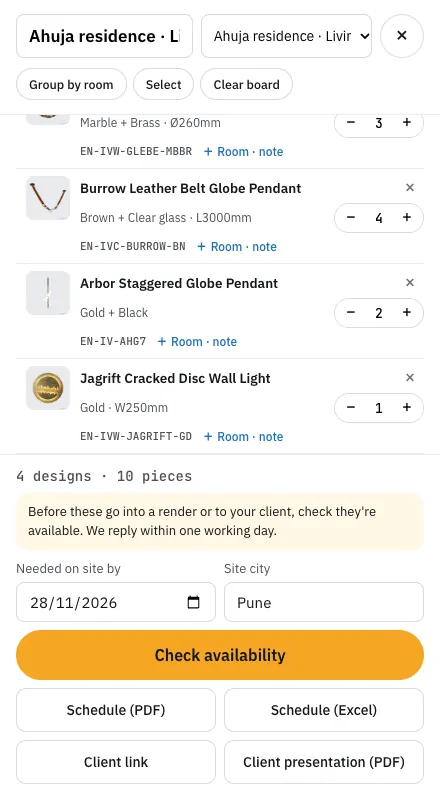
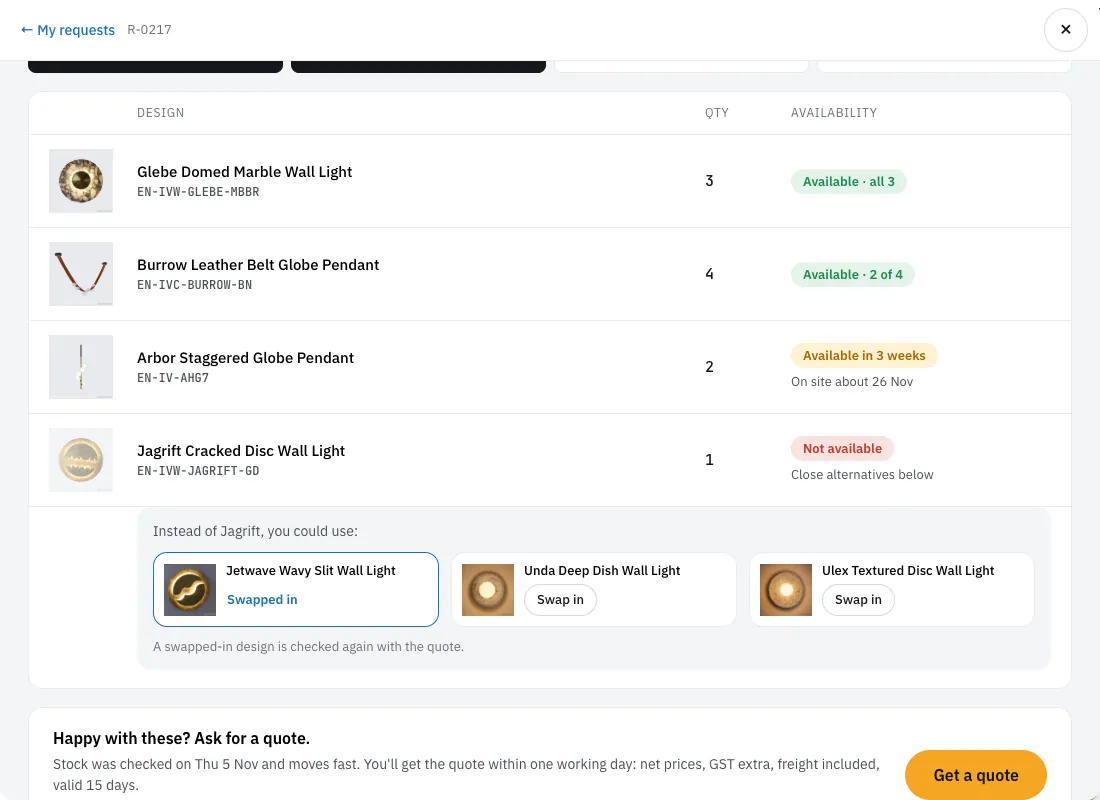
On your board, add the site city and the date you need the lights, then tap Check availability. We reply by the end of the next working day. If a design isn't available, swap in one of the alternatives we show, then tap Get a quote.
Questions
Who can register, and does it cost anything?
Architects and interior designers can register, and it's free. You're in as soon as you register.
I've registered. How do I sign in? I forgot my password.
Go to enlighten.biz/designer-collection, tap Sign in, and use the email and password you chose. Forgotten it? Tap Forgot password on the sign-in page and we'll email you a link to choose a new one.
How long do I stay signed in?
180 days on the same browser, and it renews when you come back. On a shared computer, use Sign out.
Can my team use the collection with me?
Yes. Tap Add your team at the top of the collection and enter each colleague's name, WhatsApp number and email, up to 25 people. Each one gets an email link to choose their own password.
Why do I see ₹ levels instead of prices?
Designers see price levels, from ₹ (low cost) to ₹₹₹₹₹ (very expensive), so designs can be compared at a glance. Exact prices come with your quote.
How do I check availability and get a quote, and how fast?
Put the designs on a board, set quantities, the site city and the date you need them, and tap Check availability. We reply on WhatsApp and email by the end of the next working day; then tap Get a quote and you'll have it within one working day, as a PDF with net prices, GST extra, freight included, valid 15 days.
What happens if a design isn't available?
We show up to three close alternatives next to it. Tap Swap in on the one you like, and it's checked again when you ask for the quote. Some designs are marked as available in a number of weeks instead, with the date they would be on site.
How long does delivery take?
Usually 3 to 14 days from order confirmation. Some designs can be dispatched within 3 days, others take about two weeks. Your quote shows the lead time on every line.
Can I download pictures, drawings and transparent PNGs? Why do pictures carry the Enlighten Pro label?
Yes: each design has a spec sheet (PDF), its pictures (ZIP) and, where we have one, a shop drawing, and signed-in designers can download transparent PNG cut-outs for renders, up to 30 a day (not every design has one). Pictures and sheets carry an Enlighten Pro label with the design's code, so they carry our name wherever they go; the PNG cut-outs are clean.
Can my client see my board without registering?
Yes. Send them the board link (Client link on your board). They see every light on it, with its pictures and sizes, never prices, and they don't need to register.
How often are new designs added?
New designs are added every month.
Who do I contact with a question?
Email [email protected] or [email protected]. Call or WhatsApp Abhilasha on +91 93723 99052, or Srikant on +91 90820 37907.